OpenCode 终极入门指南:开源 AI 编程助手的安装、配置与高阶玩法
Claude Code 的最佳开源替代 | 隐私优先、多模型支持与终端极致体验
1. 背景
OpenCode 是一个开源的 AI 编程代理(AI coding agent),支持在终端(Terminal)、桌面应用和主流 IDE(如 VS Code)中与 AI 交互完成代码相关任务。
OpenCode 可以帮助我们理解代码库、编写新功能、重构代码、修复 Bug 等,大幅提升开发效率。OpenCode 类似于 Claude 的 Code 模式或 Cursor 的 Agent 功能,但完全开源、隐私优先,支持多种大语言模型(LLM),并强调终端体验。
软件工程领域最热门的“OpenCode”。它是由 Jay V 和 Frank Wang(滑铁卢大学校友)创办的开源 AI 编程工具。
正式发布(2025年6月19日): OpenCode 正式上线。它主打“零摩擦”体验(无需账号、无需信用卡)和“模型无关性”(支持所有主流 AI 模型)
现状(2026年): 截至 2026 年初,它已成为全球最受欢迎的开源编程 Agent 之一,因其不存储任何用户代码的隐私设计,被 Cloudflare 等大型企业广泛采用
启用了 LSP(Language Server Protocol),会自动为当前使用的大语言模型(LLM)加载合适的语言服务器
Multi-session Start multiple agents in parallel on the same project
可以把某一次使用 OpenCode(或类似工具)的会话生成一个链接,方便他人查看、参考或排查问题(debug)
Claude Pro Log in with Anthropic to use your Claude Pro or Max account
ChatGPT Plus/Pro Log in with OpenAI to use your ChatGPT Plus or Pro account
Any model 75+ LLM providers through Models.dev, including local models
Any editor Available as a terminal interface, desktop app, and IDE extension
Opencode可看作开源版本的Claude Code
2. 安装
有多种方式进行安装
2.1 终端安装
OpenCode可以和Claude 一样成为终端版安装使用,使用下面的命令进行不同操作系统的安装
curl -fsSL https://opencode.ai/install | bash
npm i -g opencode-ai
bun add -g opencode-ai
brew install anomalyco/tap/opencode
paru -S opencode
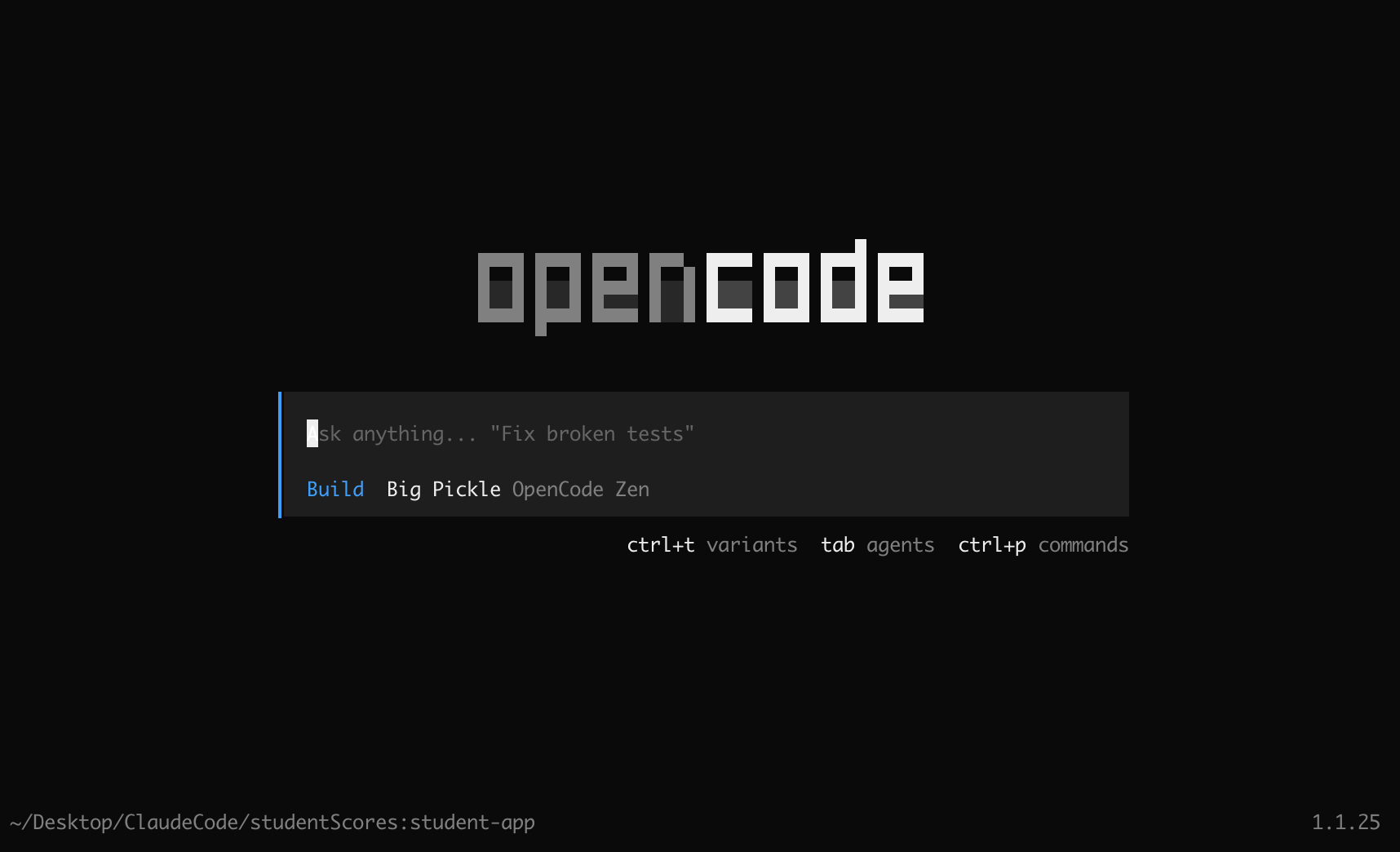
安装后之后,在目录之下,输入opencode即可启动OpenCode
2.2 桌面版安装
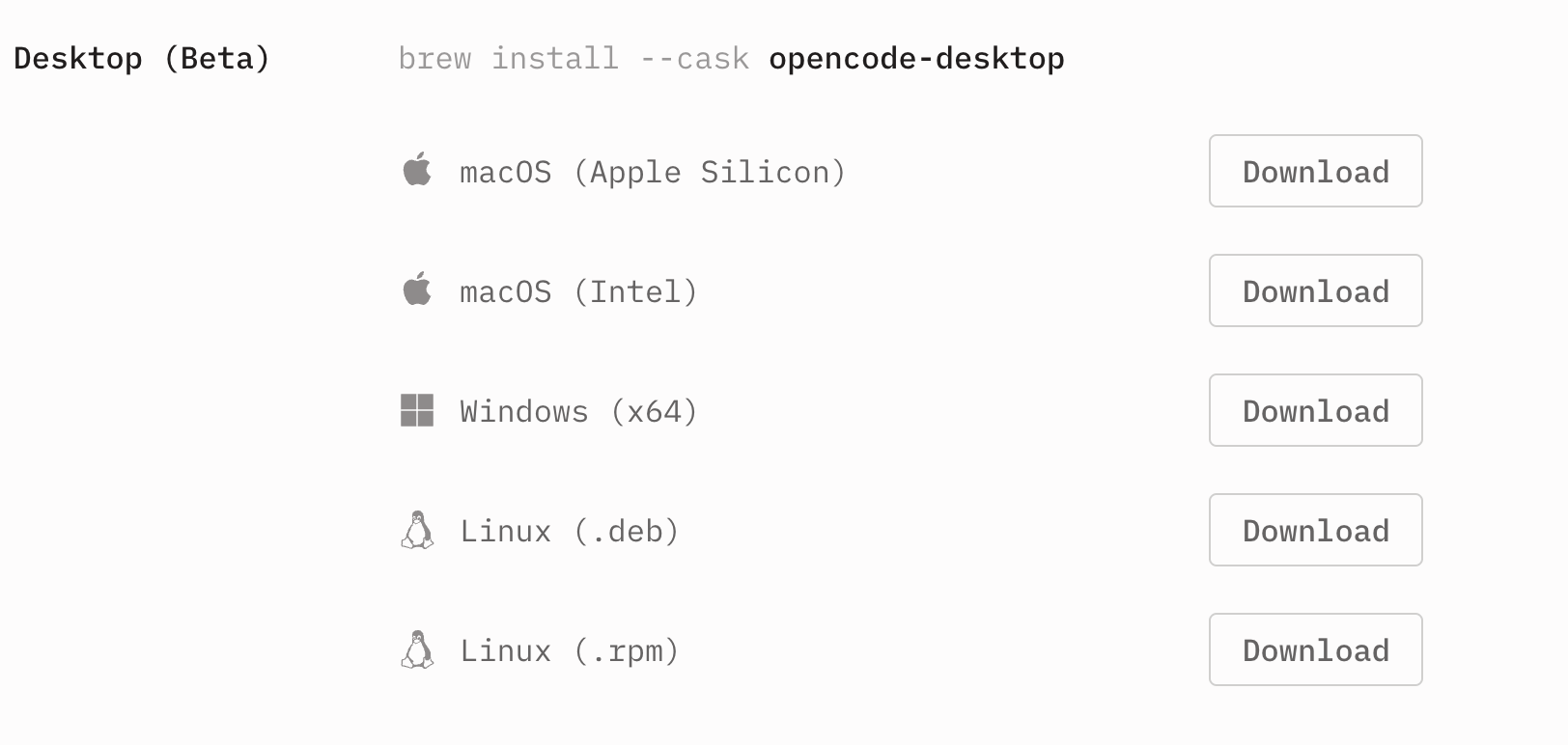
从OpenCode 官网进行不同操作版本桌面版下载,测试版目前还没有稳定
2.3 扩展安装
The OpenCode extension for VS Code, Cursor, and other IDEs。OpenCode 可以与 VS Code、Cursor 或任何支持终端的 IDE 集成。只需在终端中运行 opencode 即可开始使用。
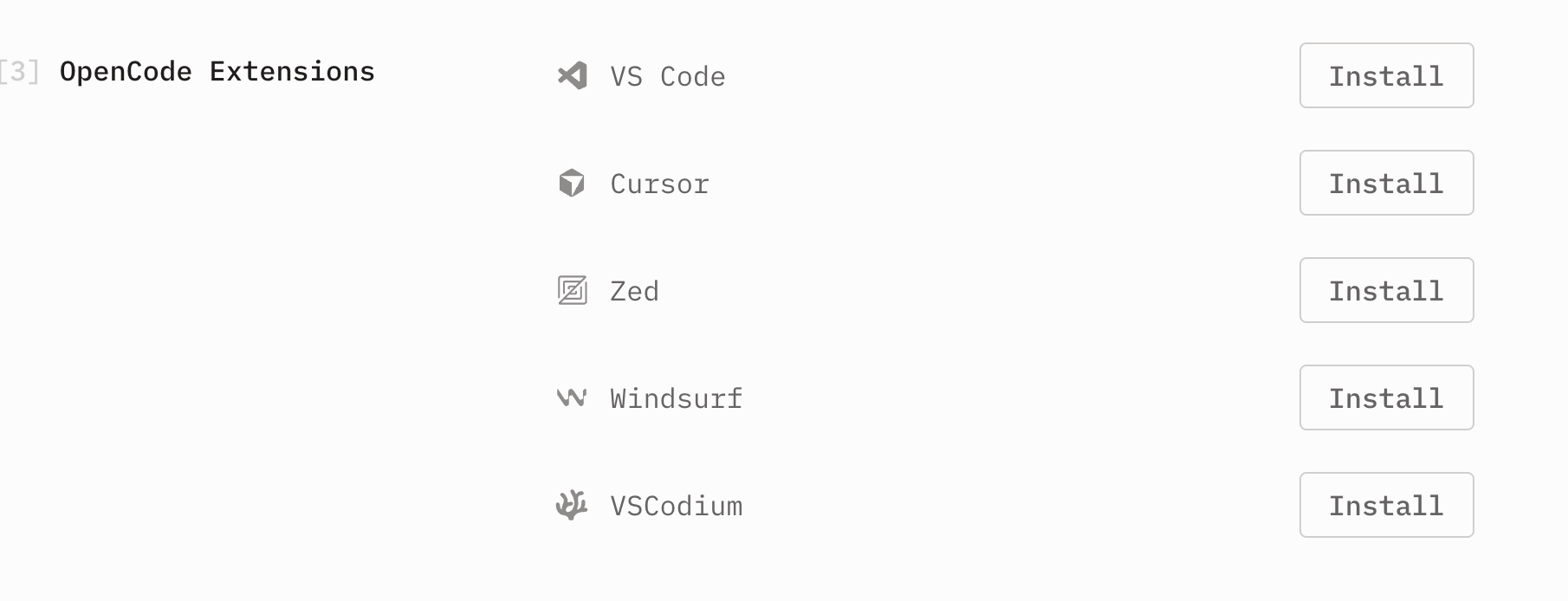
在VSCode搜素opencode插件进行安装,安装好之后,输入shift+command+p,打开控制面板,然后输入opencode,打开opencode功能
3.使用
OpenCode也是使用/命令,调用功能
3.1 模型更改
使用/model查看可使用的模型
- Big Pickle
- GLM-4.7
- Grok Code Fast 1
- MiniMax M2.1
- Popular providers
- OpenCode Zen
- Claude
- Github Copilot
- OpenAI
3.2 Antigravity 插件
启用 Opencode 通过 OAuth 对 Antigravity(Google 的 IDE)进行身份验证,以便您可以使用 Google 凭据使用 Antigravity 速率限制和访问 gemini-3-pro 和 claude-opus-4-5-thinking 等模型。
opencode-antigravity-auth 是目前最热门的开源 AI 编程助手 OpenCode(由 SST 团队开发)的一个核心插件。可以通过 Google 账号登录 OpenCode,并调用 Google 内部或特定 IDE 环境(代号为 “Antigravity”)中的高性能 AI 模型。
该插件充当了一个“认证网桥”。它允许 OpenCode 绕过标准的 API 密钥限制,直接使用 Google Antigravity 环境提供的配额。通过它,你可以在 OpenCode 中使用以下顶级模型:
- Gemini 3 Pro / Gemini 3 Pro High(具备极强推理能力的模型)。
- Claude 4.5 / Claude 3.5 Sonnet (Thinking)(Google Antigravity 环境中有时会提供这些模型的访问权限)
安装
将此内容粘贴到任何 LLM 代理(Claude Code、OpenCode、Cursor 等)中:自动安装
Install the opencode-antigravity-auth plugin and add the Antigravity model definitions to ~/.config/opencode/opencode.json by following: https://raw.githubusercontent.com/NoeFabris/opencode-antigravity-auth/dev/README.md等待自行安装成功,提示
> Thinking: The config file has been created with the plugin and model definitions. Now the user needs to run opencode auth login to authenticate with their Google account.

已安装 opencode-antigravity-auth 插件并添加了 Antigravity 模型配置到 ~/.config/opencode/opencode.json。
接下来需要运行 opencode auth login 进行 Google 账户认证
认证 退出当前opencode,然后在终端中输入opencode auth login
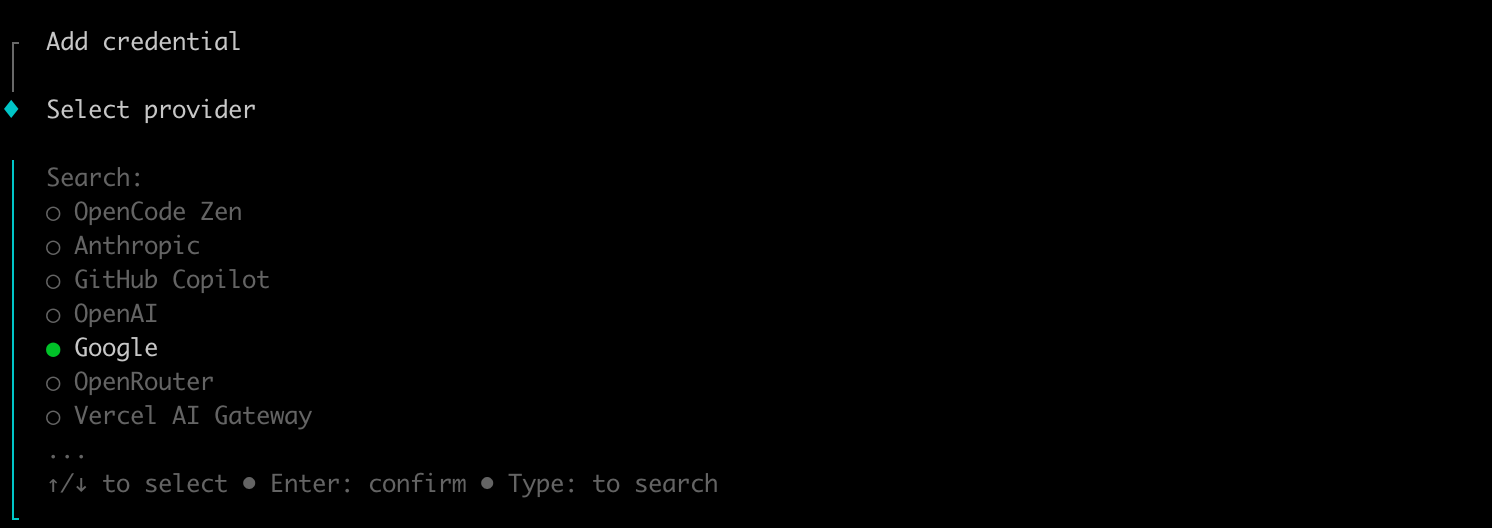
选择google,然后一直Enter,直到跳转到google浏览器,进行账户认证,直到出现
Add another account? (1 added) (y/n):
│
●  Multi-account setup complete (1 account(s)).
│
◇  Login successful
│
└  Done
表示设置成功
切换模型
在opencode中输入/models,找到gemini-3-pro-thinking 或 claude-4.5-thinking,输入问题,响应成功即可
3.2 OpenRuter接入
OpenRouter 就是一个大模型 API 路由器,旨在将各种 AI 模型和服务集成到一个统一的接口中。它允许用户通过简单的配置就能调用不同大模型的能力。
- 统一接口:提供标准化的 API,简化了模型的集成和部署过程。
- 多模型支持:支持多种预训练模型,如 GPT-4、Claude、Gemini 等。
- 无需 GPU 服务器:通过调用预训练模型的 API,用户无需自建 GPU 服务器。
进入openrouter官网 注册之后,创建API key,然后把key复制
一定要及时复制,关闭之后就无法复制
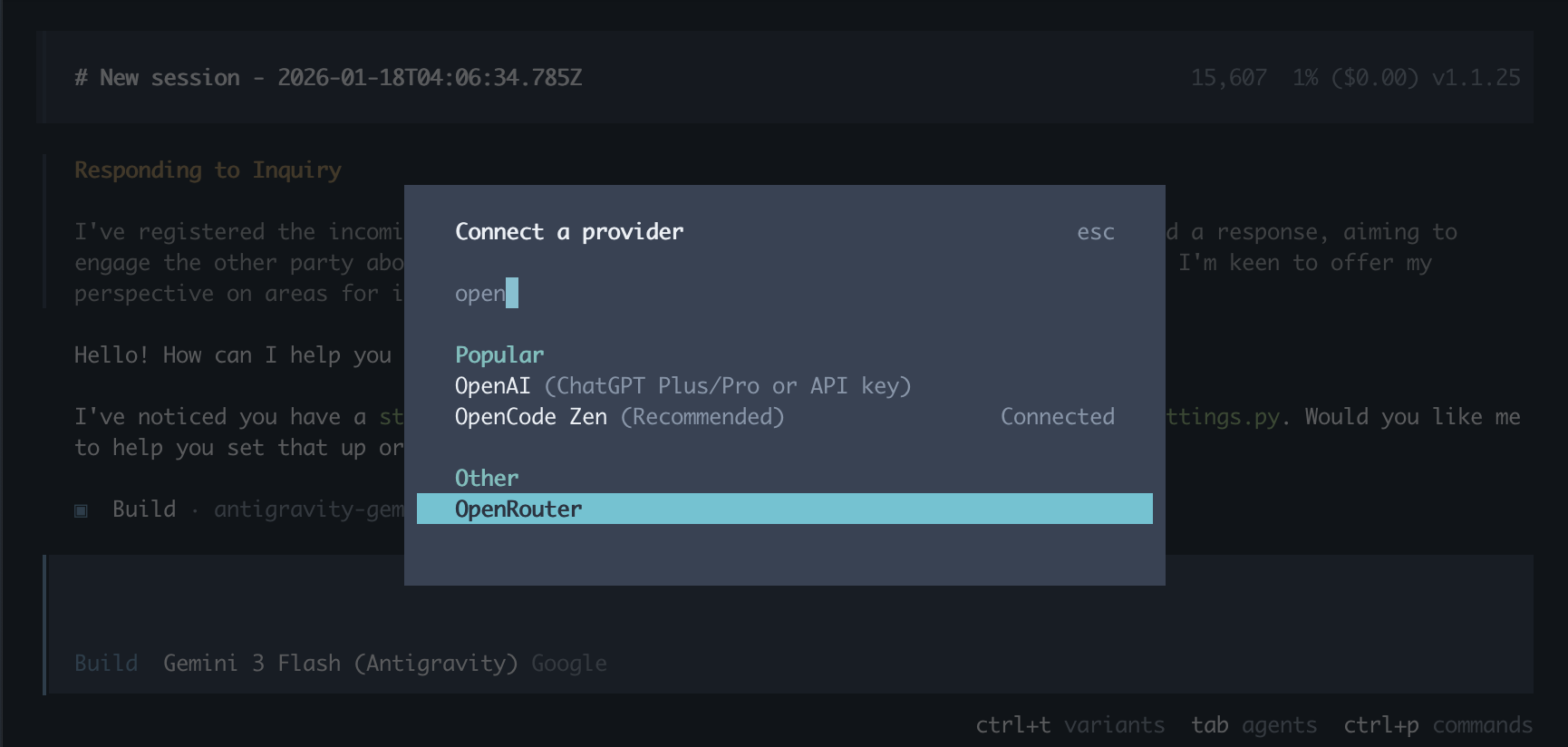
Connect
在opencode中输入/connect,输入openrouter,然后把APIkey输入
4. 亮点功能
4.1 模型
- 提供商
大多数热门提供商已默认预加载。如果你通过 /connect 命令添加了提供商的凭据,它们将在你启动 OpenCode 时自动可用。
- 选择模型
配置好提供商后,你可以通过输入以下命令来选择想要使用的模型:
/models4.2 规则
您可以通过创建 AGENTS.md 文件来为 opencode 提供自定义指令。这类似于 Cursor 的规则功能。该文件包含的指令会被纳入 LLM 的上下文中,以便针对您的特定项目自定义其行为
- 初始化
要创建新的 AGENTS.md 文件,您可以在 opencode 中运行 /init 命令。
该命令会扫描您的项目及其所有内容,了解项目的用途,并据此生成一个 AGENTS.md 文件。这有助于 opencode 更好地导航您的项目
- 类型
opencode 还支持从多个位置读取 AGENTS.md 文件,不同的位置有不同的用途
项目级:在项目根目录放置一个
AGENTS.md文件,用于定义项目特定的规则。这些规则仅在您在该目录或其子目录中工作时生效全局级:还可以在
~/.config/opencode/AGENTS.md文件中设置全局规则。这些规则会应用于所有 opencode 会话
对于从 Claude Code 迁移过来的用户,OpenCode 支持 Claude Code 的文件约定作为回退方案
5. 本地模型部署opencode
5.1 Ollama下载和安装
Ollama 是运行大型语言模型(如 gpt-oss、Gemma 3、DeepSeek-R1、Qwen3 等)最简单的方式。
同一类架构模式,但 Ollama 的 C/S 和 Docker 的 C/S 不是同一个东西
| 对比 | Docker | Ollama |
|---|---|---|
| 客户端 | docker 命令 |
ollama run、ollama pull |
| 服务端 | dockerd 守护进程 |
ollama serve 守护进程 |
| 通信方式 | REST API / Unix Socket / 网络 | HTTP API,默认 11434 端口 |
| 能否远程连接 | 可以连远程 Docker Daemon | 可以连远程 Ollama 服务 |
- 下载ollama
curl -fsSL https://ollama.ac.cn/install.sh | shcurl -fsSL https://ollama.ac.cn/install.sh | shirm https://ollama.ac.cn/install.ps1 | iex
- 启动ollama
ollama本地运行大模型,输入命令之后就会进入与模型的交互接面
ollama run gemma4:e2b- 运行agent
ollama现在最方便的方式就是一体化运行agent,输入命令就可以调用agent,同时会让你选择模型进行下载或者输入API
ollama launch claudeollama launch codexollama launch opencode5.2 ollama远端运行
如果有服务器的话,可以部署大模型,然后给局域网中的电脑使用,这个时候就需要修改设置
- 启动服务
使用ollama启动服务
ollama serve- 选择模型
你可以使用llmfit来选择自己服务器合适的模型,然后下载下来
# pull模型
ollama pull qwen3.7

# check 模型
ollama list- 修改监听
Ollama 默认只监听 127.0.0.1,需要改成监听所有网卡:
# 1. 修改service
sudo systemctl edit ollama.service

# 2. 添加内容

[Service]
Environment="OLLAMA_HOST=0.0.0.0:11434"
Environment="OLLAMA_ORIGINS=*"

# 3. 保存启动
sudo systemctl daemon-reload
sudo systemctl restart ollama
sudo ufw allow 11434/tcp
监听变成
0.0.0.0:11434
- 修改配置文件
在~/.config/opencode/opencode.json修改
{
  "$schema": "https://opencode.ai/config.json",
  "provider": {
    "ollama": {
      "npm": "@ai-sdk/openai-compatible",
      "name": "Ollama",
      "options": {
        "baseURL": "http://192.168.1.100:11434/v1"
      },
      "models": {
        "qwen3.5:latest": {
          "name": "qwen3.5"
        }
      }
    }
  }
}
"baseURL": "http://192.168.1.100:11434/v1"修改为大模型部署的服务器IP
- 启动opencode
在终端输入opencode,启动之后输入/models就能看到本地部署的ollama